Your second brain should learn from video, too.
Convert any video into knowledge for your second brain — a clean Markdown note, or a skill for your AI agent. Transcribed locally on your Mac.
Free · macOS 14+ · Apple Silicon · Mac app or CLI
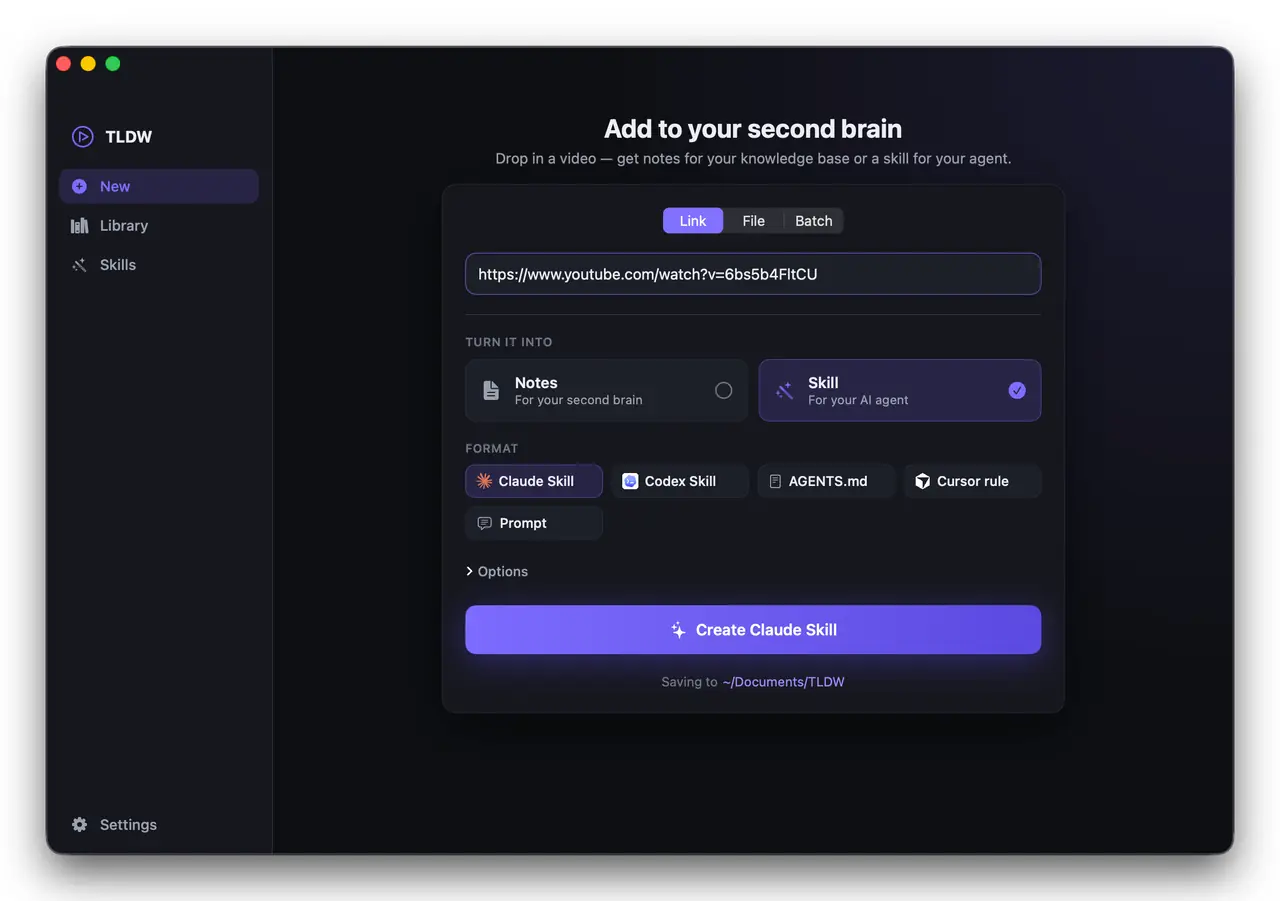
Convert any video into knowledge for your second brain — a clean Markdown note, or a skill for your AI agent. Transcribed locally on your Mac.
Free · macOS 14+ · Apple Silicon · Mac app or CLI
One video in — knowledge everywhere. TLDW feeds your second brain: clean notes in the apps you think in, and skills your AI agent can actually use.
 Obsidian
 Notion
 Markdown
 Claude
 Codex
Codex Cursor
Watching a tutorial to teach your agent a workflow? TLDW extracts the reusable procedure and writes it as a real, valid agent file — then installs it for you.
SKILL.mdOne-click install to ~/.claude/skills — ready for Claude to use.
SKILL.mdInstalls to ~/.agents/skills — plus AGENTS.md for any agent.
.mdcA .cursor/rules file generated straight into your project.
prompt.mdA clean, reusable prompt for any AI assistant.
whisper.cpp runs on your Mac with Metal acceleration — your audio never leaves your machine.
One-click into Obsidian, Notion & Markdown — or installed straight to Claude, Codex & Cursor.
Paste a YouTube, X, or TikTok link, or drop in your own video or audio file.
Local Ollama with no key, or your own OpenAI, Anthropic, Gemini, or OpenRouter key — tested in-app.
Turn one video into a note for your brain and a skill for your agent, together.
AI tags every note and skill from your own vocabulary, so your library stays searchable.
Queue a whole list of links or files and transcribe them unattended.
Every note and skill is saved and browsable — reopen, re-export, or re-install anytime.
paste this in terminal, or download the Mac app
The same 100% local engine as the app. Progress streams to stderr, file paths to stdout — so it pipes and scripts cleanly. macOS 14+ · Apple Silicon.
Paste a link or drop a file — transcribed locally on your Mac.
Notes for your second brain, a skill for your AI agent — or both at once.
Obsidian, Notion, Markdown — or installed to Claude, Codex & Cursor.
Everything you need for one-off notes — forever.
For power users who do this at scale. Yours forever.